Google Pics Is Google’s New AI Image Editor Inside Workspace — How to Actually Use It (September 2026)
Quick answer: Google started rolling out Pics, a new AI image generator and editor, to Workspace and Google AI subscribers on September 1, 2026. It lives at pics.new and is landing inside Docs and Slides too. The pitch is object-level editing — select one thing in a photo, describe the change, and everything else stays untouched. It isn’t a new purchase. It’s bundled into plans a lot of readers already pay for.
By Alex Kim · AI Hub · Fact-checked based on public sources as of September 13, 2026
Workspace users got a new tab this month, and it isn’t another chat window. Google Pics is a standalone AI image tool with object-level editing, text translation across 29 languages, and a home inside Docs and Slides. The rollout started quietly on September 1, 2026, and it raises an obvious question: is this actually different from what Google Photos or Canva already do, and do you have to pay extra for it?
What’s Covered Below
- What Is Google Pics, and Who Actually Gets Access to It?
- How Do You Actually Create or Edit an Image in Pics?
- What Can Object-Based Editing Do That Older Tools Couldn’t?
- Does Google Pics Cost Extra on Top of Your Plan?
- How Does Pics Actually Compare to Canva and Photoshop’s AI Tools?
- Before You Open Pics for the First Time
- Where Pics Still Falls Short
- FAQ
What Is Google Pics, and Who Actually Gets Access to It?
Google Pics is a new AI-powered image generator and editor built on Google’s Nano Banana model, and Google began rolling it out to Google AI Pro and Ultra subscribers plus eligible Workspace Business and Enterprise customers on September 1, 2026, according to the official Google Workspace blog.
Access depends entirely on which plan you’re on. Google AI Pro, Google AI Ultra, Workspace Business Standard, Business Plus, Enterprise Standard, Enterprise Plus, and Google AI Pro for Education all qualify. A plain Workspace Starter or Business Starter account doesn’t — and neither does a free Gmail account with no AI add-on attached.
When I checked Google’s own support page for the rollout, access is staged over several weeks rather than switched on for every eligible account at once. Seeing nothing yet in your account doesn’t mean you were excluded — it may just not have reached your plan tier.
The tool runs as a standalone app at pics.new, separate from both Google Photos and the Gemini app, even though it shares the same underlying image model family as Photos’ existing editing tools.
How Do You Actually Create or Edit an Image in Pics?
You start a Pics project either by typing a text prompt to generate an image from scratch, or by importing an existing photo from your computer, Google Drive, or Google Photos.
Once an image is open, you tap the part you want to change — a chair, a sign, a shirt — and describe the edit in plain language. Pics uses that selection as a mask so the rest of the frame doesn’t shift while the edit runs. You can also rewrite or translate text embedded inside an image across 29 languages, which matters more for marketing assets and slide decks than for a personal vacation photo.
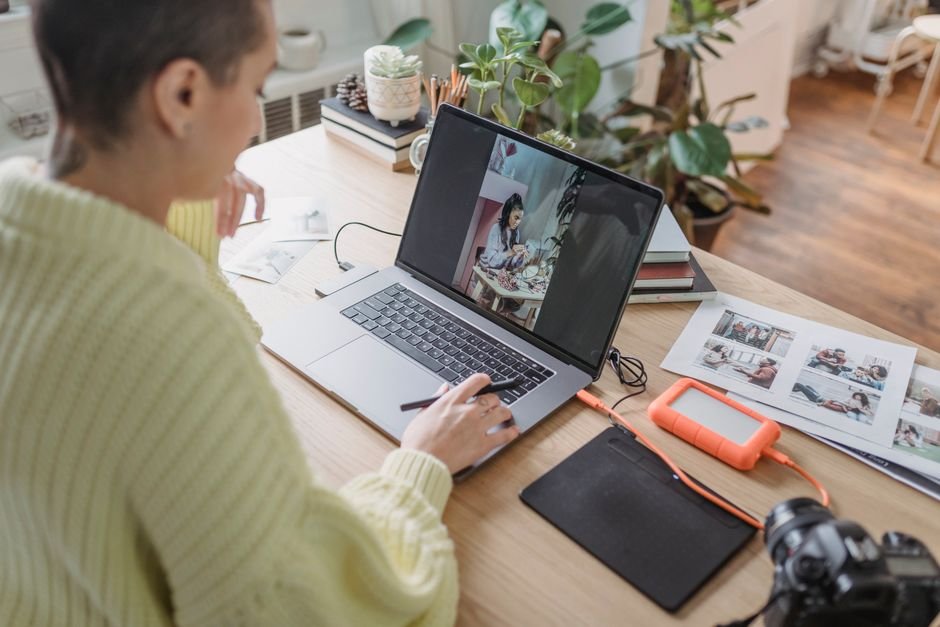
Every version you generate gets saved to a revision history, so you can step backward instead of losing the previous version the moment you commit to a new edit. That part trips a lot of people up the first time — it’s easy to assume an edit is final when it isn’t.
What Can Object-Based Editing Do That Older Tools Couldn’t?
The difference from Google Photos’ Magic Editor is that Pics is built for targeted, repeatable edits inside a Workspace document, not one-off phone photo cleanup.
I noticed that Google still hasn’t published a standalone price for Pics anywhere on its pricing pages — it’s an entitlement layered onto existing plans, not a separate line item you can buy on its own.
That select-describe-preserve approach is also what lets Pics handle upscaling cleanly. Google’s own product page lists support for 2K and 4K upscaling on generated or imported images, which is enough for a slide deck or a printed handout without visible softening around the edges.
For a freelancer building a client deck or a marketer localizing an ad image into a second language, that combination — object edits plus in-image text translation — removes a round trip to a separate design tool that used to be the only way to get both done.
Does Google Pics Cost Extra on Top of Your Plan?
No — Pics doesn’t carry its own price tag. It’s bundled into Google AI Pro, Google AI Ultra, and the qualifying Workspace business and enterprise tiers, and Google has said elevated usage limits for it will stay in place through February 28, 2027, according to the Google One plans page.
That elevated-limit window matters because Google’s AI features have a track record of tightening usage caps once a promotional period ends — the same pattern showed up earlier with Gemini’s own rollout. Budgeting around today’s generous limits past March 2027 without checking again would be a mistake.
Drive integration is also not universal yet. Google’s announcement says it’s coming in the following weeks, so if Pics isn’t showing up as an option when you try to edit an image straight from Drive, that’s expected for now rather than a bug on your end.
How Does Pics Actually Compare to Canva and Photoshop’s AI Tools?
For a fast, single-object edit inside a document you’re already working on, Pics is quicker than switching over to Canva or Photoshop — but it isn’t trying to replace either one for layout-heavy design work.
| Google Pics | Canva (Magic Studio) | Photoshop (Firefly) | |
|---|---|---|---|
| Cost | Bundled into Google AI / Workspace plans, no separate price | Requires a Canva Pro subscription for full AI features | Requires a Creative Cloud subscription |
| Where it lives | Standalone at pics.new, plus inside Docs and Slides | Inside Canva’s own design canvas | Photoshop desktop and web app |
| Best for | Fast object edits inside a document you’re already editing | Full layout and template-based design | Professional layered photo retouching |
| In-image text editing | 29 languages, built in | Limited, template-dependent | Manual, requires layer skills |
When I compared the actual editing loop side by side, Canva’s AI edits still route through a separate design canvas with layers and templates, and Photoshop’s Firefly-powered tools assume you already know layer masks. Pics skips both learning curves by keeping the whole thing inside the document you were already editing.
Before You Open Pics for the First Time
- ✅ Confirm your plan is actually one of the qualifying tiers before assuming you have access.
- ✅ Try it first inside Docs or Slides if you already work there — that integration is live now, and Drive isn’t yet.
- ✅ Use pics.new directly for anything you want to keep as a standalone image file.
- ✅ Check the revision history before you close a project. It doesn’t stay open indefinitely once you move on.
Where Pics Still Falls Short
⚠️ Drive integration isn’t live for everyone yet — Google’s own announcement says it’s still rolling out in the weeks after launch.
⚠️ No standalone price means no standalone way to buy just this feature if your organization isn’t already on a qualifying plan. IT admins should check plan eligibility before promising it to a team.
⚠️ The elevated usage limits are temporary, running only through February 28, 2027. Heavy users should watch for a cap change after that date instead of assuming today’s limits are permanent.
FAQ
Does Google Pics work if I only have a free Google account?
No. Pics requires a Google AI Pro, Google AI Ultra, or a qualifying Workspace Business or Enterprise plan — a free Google account or a Workspace Starter plan doesn’t include access as of September 2026.
Can I use Google Pics on my phone?
Pics is built primarily as a web app at pics.new and inside Docs and Slides in a browser. Google’s rollout announcement focused on web and Workspace integration rather than a dedicated mobile app.
Will Google Pics replace Google Photos’ Magic Editor?
No — Google hasn’t said it’s retiring Magic Editor. Pics is positioned as a separate, Workspace-focused tool for documents and presentations, while Magic Editor stays inside Google Photos for personal photo edits.
Sources:
- Google Workspace Blog — Google Pics brings pro-level AI image creation and editing to Google Workspace
- Google Workspace — Pics product page
- Google Workspace Learning Center — Google Pics training and help
🔗 Related guides
Fact-checked based on public sources as of September 13, 2026. Availability, pricing, and usage limits reflect Google’s published plan terms and may change.