Which AI Model Should You Use for What?
By Alex Kim, Editor · Updated July 28, 2026 · 3 official sources checked
Choose by task, not by brand loyalty. Long drafting rewards a model that holds one voice across thousands of words. Coding rewards one that reads your repo and runs tools. Fact-heavy research rewards one that links its claims. Quick questions reward speed above everything. Run three of your own prompts before you commit to a subscription.
Three flagship updates landed in under a month. Anthropic shipped Claude Sonnet 5 on June 30, 2026, then followed with Claude Opus 5 on July 24. OpenAI opened its GPT-5.6 family to the public on July 9, with three tiers named Sol, Terra and Luna. Google kept reshuffling the Gemini lineup across the same weeks.
So the live question is no longer which model is smartest overall. It is which one you should open for the thing sitting on your desk right now.
How to Fact-Check an AI-Generated Answer
Jump to a Section
1. What actually changed this summer
Dates first, since half the advice floating around right now is stale by a few weeks.
Anthropic released Claude Sonnet 5 on June 30, 2026 and Claude Opus 5 on July 24, 2026. OpenAI made the GPT-5.6 family generally available on July 9, 2026 under the names Sol, Terra and Luna. Google publishes its current Gemini list on its own developer model page rather than in one big launch post, which makes the lineup harder to track from headlines alone.
That is the honest limit of what any article can pin down. Benchmark tables age badly. Prices move. A tier that was the default in June may be renamed by autumn.
When I checked the three vendor model pages side by side, I found that the naming schemes agree on almost nothing. One idea survives the comparison. Each family now offers a fast cheap tier. Then a balanced middle. Then a heavier reasoning tier for the hard stuff. That shared shape is far more useful to you than any leaderboard, because it tells you which lever to pull.
Check the vendor page before you decide. Lineups change fast.
2. The task-by-task decision table
Forget the brand for a second. Name the task, then look for the trait that task actually needs. The last column matters most, because it turns a marketing claim into something you can verify yourself in about ten minutes.
| Task type | What to look for | How to test it yourself |
|---|---|---|
| Long-form writing | Voice consistency over distance. Does paragraph 40 still sound like paragraph 3? | Feed it 600 words of your own writing. Ask for 1,200 more in that voice. Read only the back half. |
| Coding and debugging | Tool access beats raw cleverness here. A model that can read your files and run commands wins. | Hand it a real failing test from your project. Not a puzzle. See whether it asks to look at the file. |
| Research and fact-checking | Live retrieval plus clickable citations. A confident paragraph with no link is worth very little. | Ask something that changed in the last two weeks. Then open every link it gives you. |
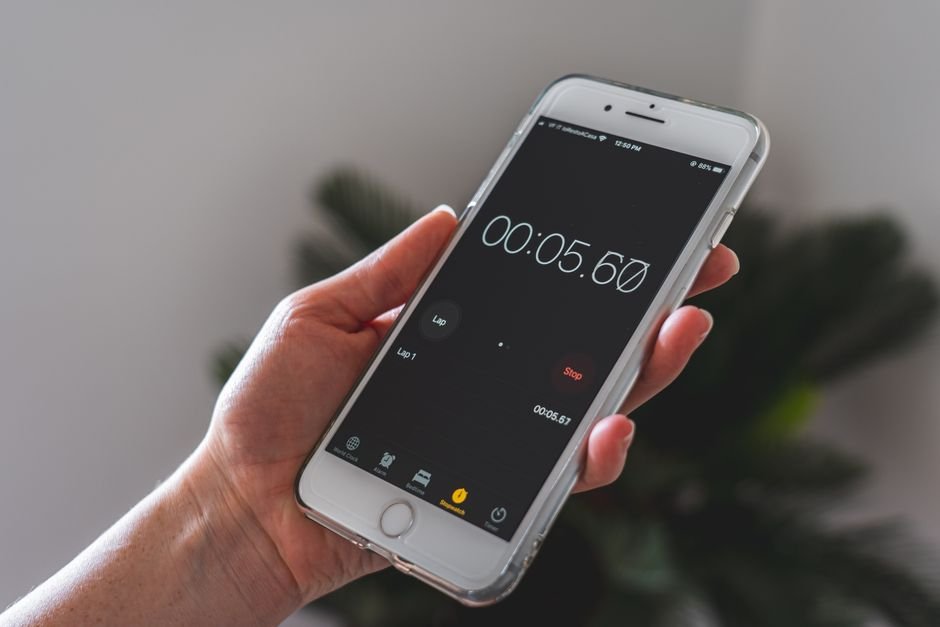
| Quick everyday questions | Latency. If the answer takes 30 seconds you will stop asking. | Time five throwaway questions on a phone. The fast tier usually wins outright. |
| Documents, PDFs and images | Faithful extraction. Tables and scans are where these tools quietly invent things. | Upload a messy scanned invoice. Check three numbers against the original by eye. |
| Repetitive multi-step work | Whether it can hold a plan without you re-explaining it every turn. | Give a six-step chore. Walk away at step two. See if step five still follows the original brief. |

3. Run a three-prompt bake-off
Reviews describe someone else at their job. You need yours.
Pick three prompts that represent your actual week. One long. One technical. One annoying. Paste the identical text into each assistant on the same afternoon, because the free tiers get throttled at different hours and that alone can flip your impression.
Score only two things: how much editing the output needed, and how long you waited. Skip the vibes. In my experience the gap between assistants shrinks a lot once the prompt is specific enough, which is why sharpening your own instructions is usually the cheaper fix — our notes on how to write better prompts for Claude and ChatGPT cover the patterns that move the needle most.
Keep the three prompts in a text file. Re-run them whenever a new version ships. That single habit turns every future launch from a guessing game into a fifteen-minute check.
4. Where each family currently leans
All three vendors ship a fast tier, a middle tier and a heavy tier. The differences worth caring about sit around the model, not inside it.
Ecosystem pull. If your documents already live in Google Workspace, a Gemini answer that can see them saves more time than a marginally better paragraph elsewhere. The same logic runs the other way for teams deep in Microsoft or in a terminal.
Tooling depth. Coding workflows have diverged the most. Some assistants now act inside your project rather than handing back a snippet, and that is a workflow difference rather than an intelligence one.
Heavy tier discipline. The expensive reasoning tiers are genuinely better at tangled problems and genuinely slower. Reaching for one to reword an email is a habit worth breaking.
No vendor wins every column. Anyone telling you otherwise is selling something, or wrote their comparison in May.
5. Tips
- ✅ Keep two assistants open, not five. Two covers the fast lane and the heavy lane.
- ✅ Use the cheap tier by default. Escalate only when the cheap one visibly struggles.
- ✅ Re-read the vendor model page each quarter. Tier names drift more than capabilities do.
- ✅ Save your best prompts. They outlive the model they were written for.
- ✅ Cancel before the second billing cycle if your bake-off was inconclusive.
6. Warnings
- ⚠ Benchmark charts in blog posts age within weeks. Treat any number you did not verify as a rumour.
- ⚠ Free tiers are throttled at peak hours, so a slow answer may say nothing about the model.
- ⚠ Every assistant still fabricates citations under pressure. Open the links.
- ⚠ Do not paste client data, medical records or credentials into a tool you have not checked the retention settings on.
7. Questions people keep asking
Do I need to pay for more than one?
Rarely. Most people get further by learning one tool properly than by juggling three subscriptions.
Is the newest model always the right pick?
No. Newer often means slower and pricier. For short everyday questions the older fast tier frequently feels better.
How do I know when to switch?
Switch when the same task fails twice in a row after you have already tightened the prompt. Not before.
What about coding specifically?
Judge it on whether the assistant can reach your actual files. That single capability changes the day-to-day experience more than any score.
8. Your checklist for this week
- ✅ Write down the three tasks you genuinely repeat.
- ✅ Open the current model page for each vendor you are considering, since lineups shift monthly.
- ✅ Run the same three prompts through two assistants this afternoon.
- ✅ Note editing time and wait time. Nothing else.
- ✅ Commit to one paid tier for 30 days, then re-run the test before you renew.
Fact-checked based on public sources as of July 28, 2026. Model names, tiers and availability were accurate on that date and change frequently.
Sources
- OpenAI — GPT-5.6 announcement (Sol, Terra, Luna)
- Anthropic — Claude Opus 5 announcement
- Google — Gemini API current model list