How to Reduce Your Smart Home’s Standby Power Usage
Smart home gadgets pull power even when they’re “off.” Fill a house with them, and it quietly adds up on the bill in ways you won’t notice until you measure. Owner reports that log actual draw with a cheap plug-in meter tend to land on the same surprise. Most of the standby load comes from two or three devices. Not the dozen little ones that usually get blamed. That reframes the whole problem. The instinct is to unplug everything in sight, but the smarter play is to find the couple of heavy hitters and deal with those. So here’s how to trim that standby waste without giving up the smart features you actually use.
Sources & Further Reading

Berkeley Lab, a U.S. Department of Energy national laboratory, puts standby power at 5-10% of residential electricity use.
Related reading: 2026 Best Robot Vacuums Compared by Home Size
In This Guide
Why Standby Draw Adds Up Faster Than You’d Think

A single smart speaker pulling a few watts on standby? Trivial. Nobody would blink at it. Now run that math across ten or fifteen connected devices, all humming along 24/7. Suddenly it isn’t so trivial. Set-top boxes, older smart hubs, and always-on displays are usually the worst offenders. Some draw several times what a modern smart plug or bulb does. And that’s where your real savings hide. Not in the small stuff you’d expect. It’s a little counterintuitive, honestly. The devices you barely think about, the ones tucked behind the TV or sitting in a closet, are often the ones costing you the most while doing nothing at all.
Steps
Step 1: Identify Your Highest-Draw Standby Devices
Grab a plug-in power meter and see which devices actually pull meaningful standby power. Some sip almost nothing. Others, like certain hubs or set-top boxes, draw a lot more than you’d guess. So don’t judge by size or price. A little streaming box can easily out-draw a big smart display sitting right next to it.
Step 2: Group Low-Priority Devices on Smart Power Strips
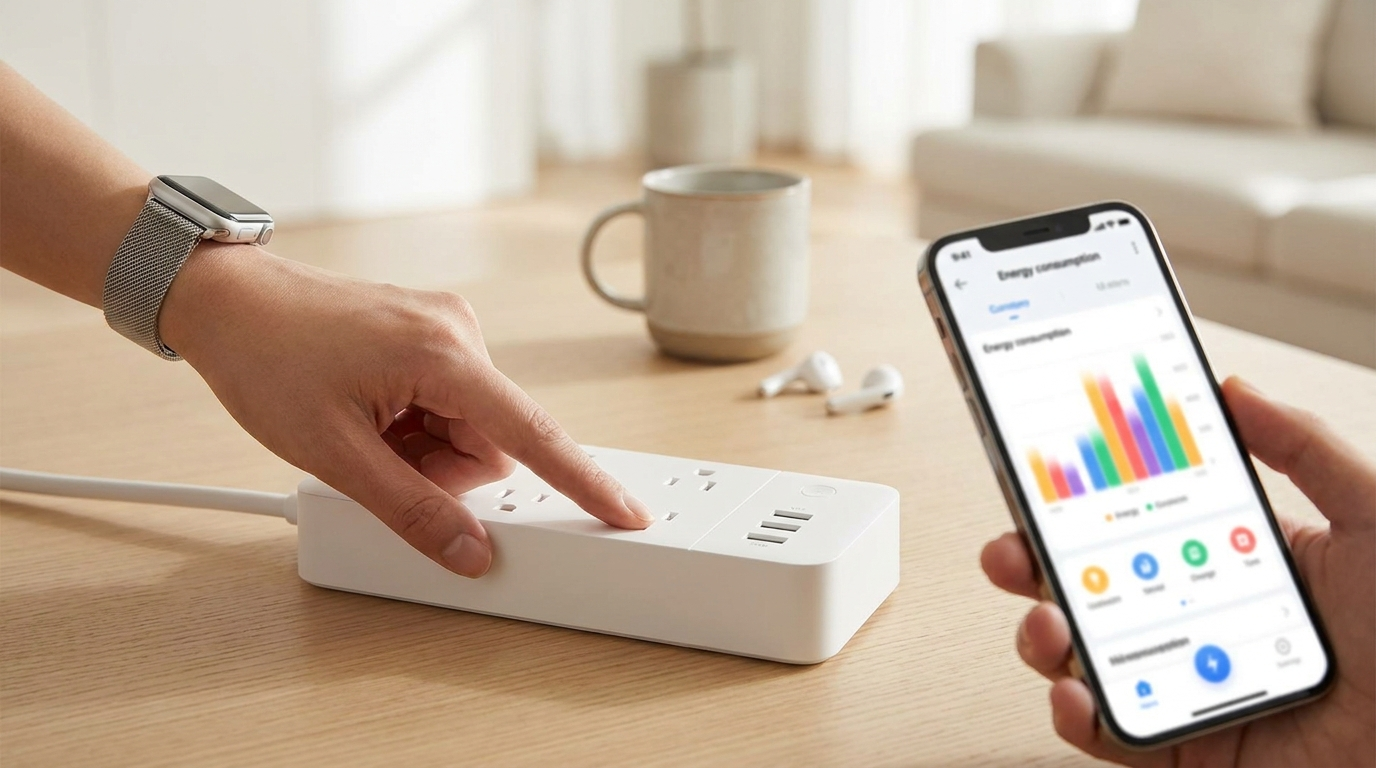
Some devices don’t need to stay “smart-ready” around the clock. Your TV. The gaming console. Put those on a smart power strip that can cut power completely when they’re idle. For most homes, this one move does the heavy lifting.
Step 3: Adjust Always-On Devices to Low-Power or Sleep Modes
Dig into the device settings and look for a lower-power standby or eco mode. Plenty of smart displays and speakers offer one. The nice part? They stay on your network, so you keep that instant response while quietly cutting the draw.
Step 4: Schedule High-Draw Devices to Power Down Overnight
Open your smart home app and set the non-essentials to power off fully during the hours you’re asleep or out. Overnight is the obvious window. Set it once and it’s basically free savings. No daily fiddling required. And if a device turns out to need a moment to wake up in the morning, just nudge the schedule a little earlier. You’ll never notice the lag, and the overnight hours still get cut.
Step 5: Re-Audit Your Setup Every Few Months
New devices sneak in over time, and standby draw has a way of creeping back up a few months after the first pass. The usual culprits are the additions nobody re-measures ??a couple of extra smart plugs, a video doorbell chime that joined the network without anyone checking its baseline. So recheck the whole setup now and then. This isn’t a do-it-once-and-forget kind of chore.
Berkeley Lab puts standby draw at roughly 5 to 10 percent of household electricity. Put your own bill in and that share turns into a number worth acting on, or not.
The 5 to 10 percent band is a national average from the Berkeley Lab research cited in this article, not a measurement of your home. Your real share depends on how many always-on devices you run, and a plug-in meter is the only way to know for certain.
Tips
- ✅ Keep hub devices, the ones everything else depends on for connectivity, on a separate circuit from anything you plan to power down.
- ✅ Check your utility for time-of-use rates. Shifting high-draw tasks to off-peak hours can save more than trimming standby draw ever will.
- ✅ Label the outlets on your smart power strip by device. That way you won’t accidentally kill power to something mid-cycle.
- ✅ New to this? Start with the TV and console setup. Highest impact, lowest effort, hands down.
Warnings
⚠️ Cut power to the wrong smart hub and you’ll knock out every device that leans on it. Map your dependencies before you put anything on a smart power strip.
⚠️ Smart locks and security devices are a different story. They should never sit on a switchable outlet, since an unexpected power loss could affect how they work. Read the manufacturer’s guidance first before you fold any security gear into a power-cutting plan. When in doubt, leave anything tied to your home’s safety fully powered and go after the entertainment gear instead. That’s where the easy savings sit anyway.
References
- Utility provider energy usage guides on standby/phantom power consumption for connected devices.
- Manufacturer documentation on eco/low-power modes for smart displays, speakers, and hubs.
Here’s the catch with published numbers. There’s no single industry-wide standard for reporting standby wattage, so figures wander from one manufacturer to the next. Measuring your own devices with a power meter gives you far more reliable numbers than any average printed on a spec sheet.
Q&A
Do smart plugs themselves use a lot of standby power?
Barely any. The savings come from cutting power to the higher-draw devices plugged into them, not from the little smart plug doing its own thing.
Is it worth buying a power meter just for this?
For a handful of dollars, yes. A basic plug-in meter hands you real data instead of guesswork, and that pays off the moment you’ve got more than a few always-on devices. Building a new setup from scratch? See our guide to setting up a Matter-compatible smart home device and plan the power management in from day one.
Fact-checked based on public sources as of July 20, 2026.
Frequently Asked Questions
Which devices should never go on a switchable or smart power strip?
Hub devices that other gadgets rely on for connectivity, plus smart locks and security equipment. Cutting power to a hub can knock out everything that depends on it, and an unexpected power loss can affect how security devices work, so check the manufacturer’s guidance and leave safety-related gear fully powered.
Do smart plugs themselves waste much standby power?
Barely any. The savings come from cutting power to the higher-draw devices plugged into them, not from the plug’s own draw. Berkeley Lab puts standby power at roughly 5-10% of residential electricity use, and most of it usually comes from just two or three heavier devices.
Is a plug-in power meter worth buying just for this?
For a few dollars, generally yes, once you have more than a few always-on devices. There is no single industry-wide standard for reporting standby wattage, so measuring your own devices gives more reliable numbers than any spec-sheet average.