Robot Vacuum Keeps Getting Stuck? 7 Causes and Fixes by Home Layout
A robot vacuum that beaches itself under the same dining chair every afternoon is rarely broken. It is doing exactly what its sensors tell it to do. The seven causes below are ordered the way a repair queue would order them — cheapest and most common first, firmware and remapping last. ECOVACS publishes ten separate causes for a robot that keeps stopping mid-run, and a failing battery sits near the bottom of that list. The mechanical stuff catches most owners long before the electronics do.
- Match the symptom to the cause first
- Causes 1–2: hair and cords in the moving parts
- Causes 3–4: dirty sensors and surfaces that fool them
- Cause 5: the dock is in the wrong place
- Cause 6: the map resets after every run
- Cause 7: suction faded over months
- Which specs prevent which failure
- The 20-minute reset
- References
- FAQ
Match the Symptom to the Cause First
Owners tend to jump straight to a factory reset. That wipes the map and costs an entire mapping run, usually for nothing. Read the pattern instead — the location and frequency of the stall narrow the cause down fast.
| What you’re seeing | What it usually means | Where to start |
|---|---|---|
| Stalls in the same spot, every run | A physical trap: a threshold, a low sofa, a rug edge | Get on the floor and look at that spot. Then draw a no-go zone around it |
| Stalls anywhere and everywhere | Something is wound around a wheel or the brush | Flip the robot over |
| Cleans fine but wanders home late or not at all | Dock signal is blocked, or the run didn’t start at the dock | Clear the space around the base |
| Map is blank or rebuilt from scratch each time | Runs are being interrupted before the map saves | Let one full cycle finish, doors open |
| Full runtime, thin results, louder motor | Clogged filter or a packed brush roll | Filter and bin, in that order |
Causes 1–2: Hair and Cords in the Moving Parts
Cause 1: The brush roll — and especially its end caps
Hair does not only wrap around the bristles. It packs into the bearing at each end of the roller, where it is nearly invisible until you pull the roller out of its housing. That packed ring adds drag, the motor compensates, and the robot reads the extra load as an obstruction and halts.
Pop the brush guard, lift the roller, slide the end caps off. Cut the wrapped hair with scissors rather than yanking it — pulling hard on a wound bundle can drag the bearing seal out with it. Narwal’s maintenance guide puts brush and roller replacement at somewhere between six and twelve months depending on how hard the machine works, which is worth knowing before you spend an evening reviving a roller that is simply finished.
Cause 2: The wheels, the side brush, and the bumper
Phone cables and charger cords are the classic offenders. A thin cable wraps a drive wheel in about two rotations and the robot cannot reverse out of it. Check the side brush spindle too, since long hair migrates there and stiffens the whole assembly.
Then press the front bumper in and let go. It should spring back cleanly. A bumper that sticks even slightly tells the robot it is permanently pressed against a wall, and the machine will either creep or refuse to move at all.
Causes 3–4: Dirty Sensors and Surfaces That Fool Them
Cause 3: Smudged sensor windows
The cliff sensors on the underside collect a dust film faster than anything else on the robot, because they face the floor all day. A greyed-over cliff sensor reads a normal floor as a staircase, so the robot stops dead and reports that it is stuck on the edge of a drop that does not exist. A soft dry cloth is the entire fix. ECOVACS suggests running that wipe-down every one to two weeks, with a fuller inspection monthly.
Do the front-facing sensors while you are there. Those handle obstacle avoidance and dock detection, and a fingerprint on the wrong window is enough to blind them.
Cause 4: Dark floors, mirrors, and afternoon sun
This one frustrates people because nothing is dirty and nothing is broken. Very dark flooring absorbs the infrared the cliff sensors bounce off the ground, and the robot interprets the missing return signal as empty air. Charcoal rugs and dark hardwood both trigger it. Reflections cause the opposite error. A mirror or a glossy cabinet front stretches the distance reading, and the robot brakes for an obstacle that isn’t there. Low afternoon sun through a window does much the same thing.
You cannot fix physics with maintenance. Reflective-surface confusion during mapping is documented by manufacturers themselves, so the practical answer is a no-go zone over the problem area, or a strip of matte tape over a small offending patch. Some owners simply schedule cleaning for the morning and sidestep the glare entirely.
Cause 5: The Dock Is in the Wrong Place
A robot that cleans normally and then strands itself twenty feet from home is almost always a dock placement problem, not a battery problem. The base transmits a short-range infrared beacon, and it needs a clear line of sight for that beacon to be found.
ECOVACS gives concrete numbers: the dock should sit flat against a wall with at least two inches of clearance on each side and thirty-two inches in front, on a level surface, away from stairs. Tucked into a corner or half-hidden under a console table, the beacon simply gets absorbed. Direct sunlight on the dock washes out the infrared as well.
Two more things trip people up. Wipe the metal charging contacts on both the robot and the base, since a dust film there means the robot arrives home and still reports no charge. And start cleaning cycles from the dock — a run launched from the middle of the living room can send the robot back to its starting point rather than to the base.
Cause 6: The Map Resets After Every Run
Saved maps are what make room-specific cleaning and no-go zones possible, so losing one every cycle is more than cosmetic. Maps generally only commit to storage after a complete, uninterrupted run.
Interruptions come in more forms than you’d expect. Picking the robot up mid-run and setting it down elsewhere breaks its internal position tracking, and the map it was building is discarded. A closed bedroom door means that room never enters the layout. Running out of battery before the sweep completes has the same effect. Moving the dock after setup invalidates the reference point the whole map is anchored to.
When I lined up the mapping guidance from three manufacturers side by side, the same sequence turned up in all of them. Open every interior door. Get the cables off the floor. Start from a full charge. Then leave the machine alone until it docks itself. Only after a clean run like that is a delete-and-remap worth trying. Firmware updates are the other genuine fix here, since navigation logic gets patched more often than the release notes let on.
Cause 7: Suction Faded Over Months
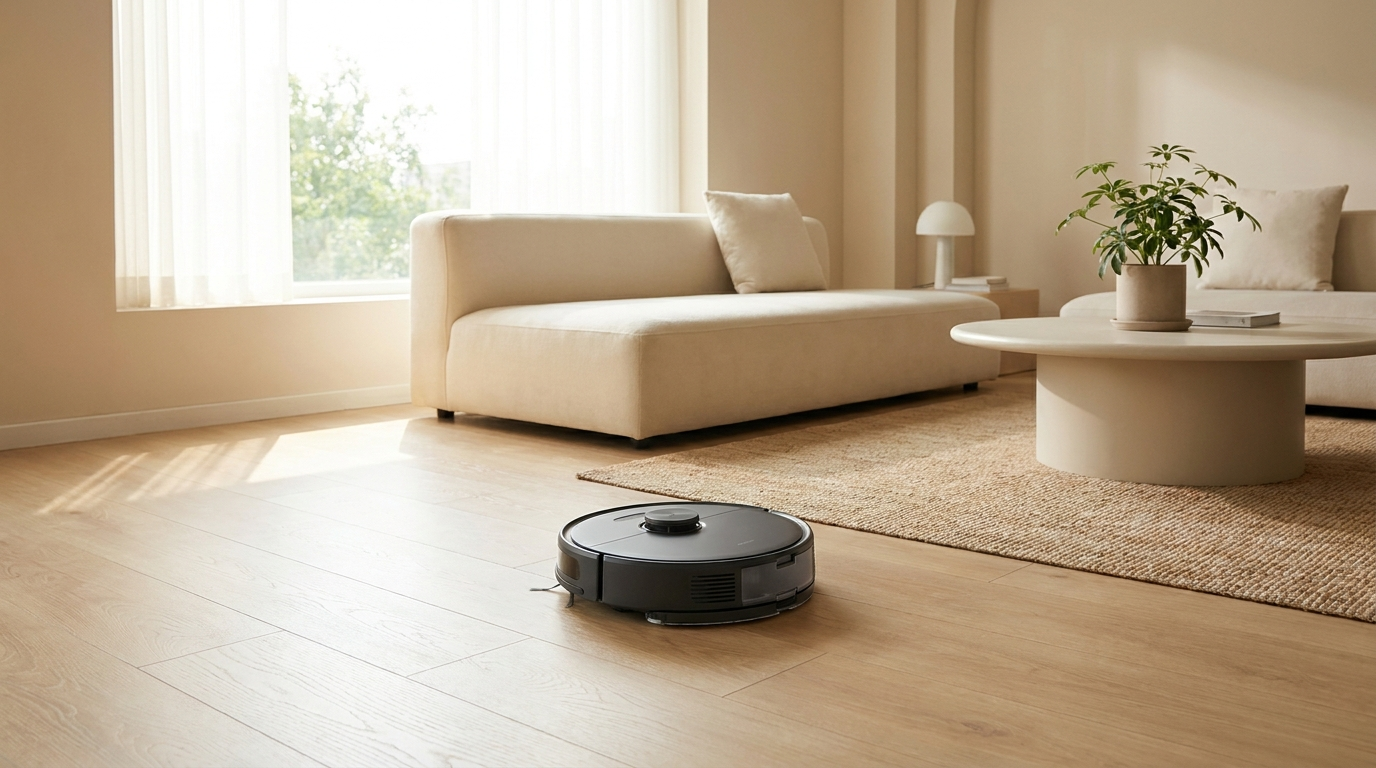
Nothing dramatic happens here. The machine still runs its full cycle, the bin just comes back half empty and the motor sounds strained. Airflow is the thing to chase, not the Pascal rating on the box.
Narwal’s servicing guidance lands on a schedule roughly like this, and it is a reasonable baseline whatever brand you own.
| Part | How often | What happens if you skip it |
|---|---|---|
| Dustbin | After each run | A packed bin blocks the airway, so suction drops before the bin is even full |
| Filter (clean) | Weekly in pet homes, monthly otherwise | Dust cake on the pleats chokes airflow and overheats the motor |
| Filter (replace) | Every 2–3 months | Washed filters lose structure; a tired one never recovers full flow |
| Brush and roller (replace) | Every 6–12 months | Worn bristles stop agitating carpet, which reads as weak suction |
| Seals and gaskets (inspect) | Quarterly | Air leaks around the bin lid bleed off pressure invisibly |
The leak point deserves a moment. Say the filter is clean and the bin is empty. The brush is clear too, and pickup is still poor. Run a finger around the bin gasket and the lid seat. A seal that no longer sits flush lets the machine pull air from the wrong place, and no amount of cleaning will fix that.
Which Specs Prevent Which Failure
Some of these failures are maintenance. Others are baked into the hardware you bought, and no cleaning routine will get rid of them. This is where floor plan matters — the same machine that never misbehaves in a studio will fail weekly in a three-bedroom house, because the failure modes scale with the space.
| Your floor plan | The failure it invites | The spec that prevents it | What you can safely skip |
|---|---|---|---|
| Studio or one-bedroom | Cord tangles and low-furniture traps; runtime is rarely the issue | Good obstacle avoidance and a slim chassis | Multi-floor map storage, and self-empty if you don’t mind the bin |
| Multi-room single level | Dies mid-cycle and never finishes; keeps entering rooms it shouldn’t | Auto-recharge and resume, plus editable no-go zones | Multi-floor map storage |
| Multi-level home | Rebuilds the map from scratch each time you carry it upstairs | Multiple saved floor maps — this is the one non-negotiable | Nothing much; this is the demanding case |
| Pets, long hair, or heavy shedding | Brush jams and suction loss within weeks | Tangle-resistant rubber roller and a self-empty base | Peak suction figures, which fade to irrelevance beside a clogged filter |
| Dark or high-gloss flooring | Phantom cliff detections and false obstacle stops | LiDAR navigation rather than pure optical sensing | Camera-based obstacle recognition, the system this flooring fools most |
When I read through owner complaint threads for this piece, the pattern that stood out was how many “defective unit” reports were actually spec mismatches. A single-map machine in a two-storey house is not faulty. It is being asked to do something it was never built for.
The 20-Minute Reset
- ✅ Flip the robot. Pull the brush roll, strip the end caps, cut the hair off both.
- ✅ Free the drive wheels and the side brush spindle, then press the bumper and confirm it springs back.
- ✅ Wipe every sensor window and both sets of charging contacts with a dry cloth.
- ✅ Empty the bin. Tap the filter out, or replace it if it is more than three months old.
- ✅ Give the dock two inches of clearance on each side and roughly a metre in front, on a level floor, out of direct sun.
- ✅ Open every interior door, clear the cables, then run one full cycle from the dock without touching the machine.
- ✅ Still stalling in the same spot? Draw a no-go zone there instead of remapping the whole house.
- ✅ Setting up voice control at the same time? Our Matter device setup guide covers the pairing side.
References
- ECOVACS: why a robot vacuum keeps stopping — maintenance intervals and the sensor types involved.
- ECOVACS: when a robot vacuum cannot find its dock — the dock clearance figures cited above.
- ECOVACS: robot vacuum mop not mapping — why maps fail to save.
- Narwal: why a robot vacuum loses suction — filter and roller replacement schedule.
- iRobot Home Support and the iRobot Home App — smart map behaviour on Roomba models.
Manufacturer intervals differ, and firmware updates quietly change navigation behaviour between model years. Check your own model’s current support page before replacing any part.
FAQ
Why does my robot vacuum keep getting stuck in the same spot but nowhere else?
That is a trap, not a fault. Something in that square of floor — a threshold lip, a rug fringe, a sofa with just enough clearance to wedge under — catches the chassis. Look at the spot at floor level and you will normally see it in a few seconds. A no-go zone solves it permanently.
Does a factory reset fix a robot vacuum that keeps stopping?
Rarely, and it costs you the saved map. Work through the brush, wheels, sensors, and filter first. A reset only makes sense once you have completed one clean uninterrupted run and the navigation is still wrong.
My vacuum is only two years old and the suction has dropped. Is the motor dying?
Almost certainly not. Filters lose flow permanently after a few months, brush bristles wear flat within a year, and a bin gasket that no longer seals bleeds pressure without any visible damage. Replace those three before you suspect the motor.
Why does it clean fine but fail to dock?
Check what surrounds the base. Corners, direct sunlight, and furniture overhead all swallow the infrared beacon. Starting the run from somewhere other than the dock produces the same symptom.
Reviewed against manufacturer support documentation, July 2026.