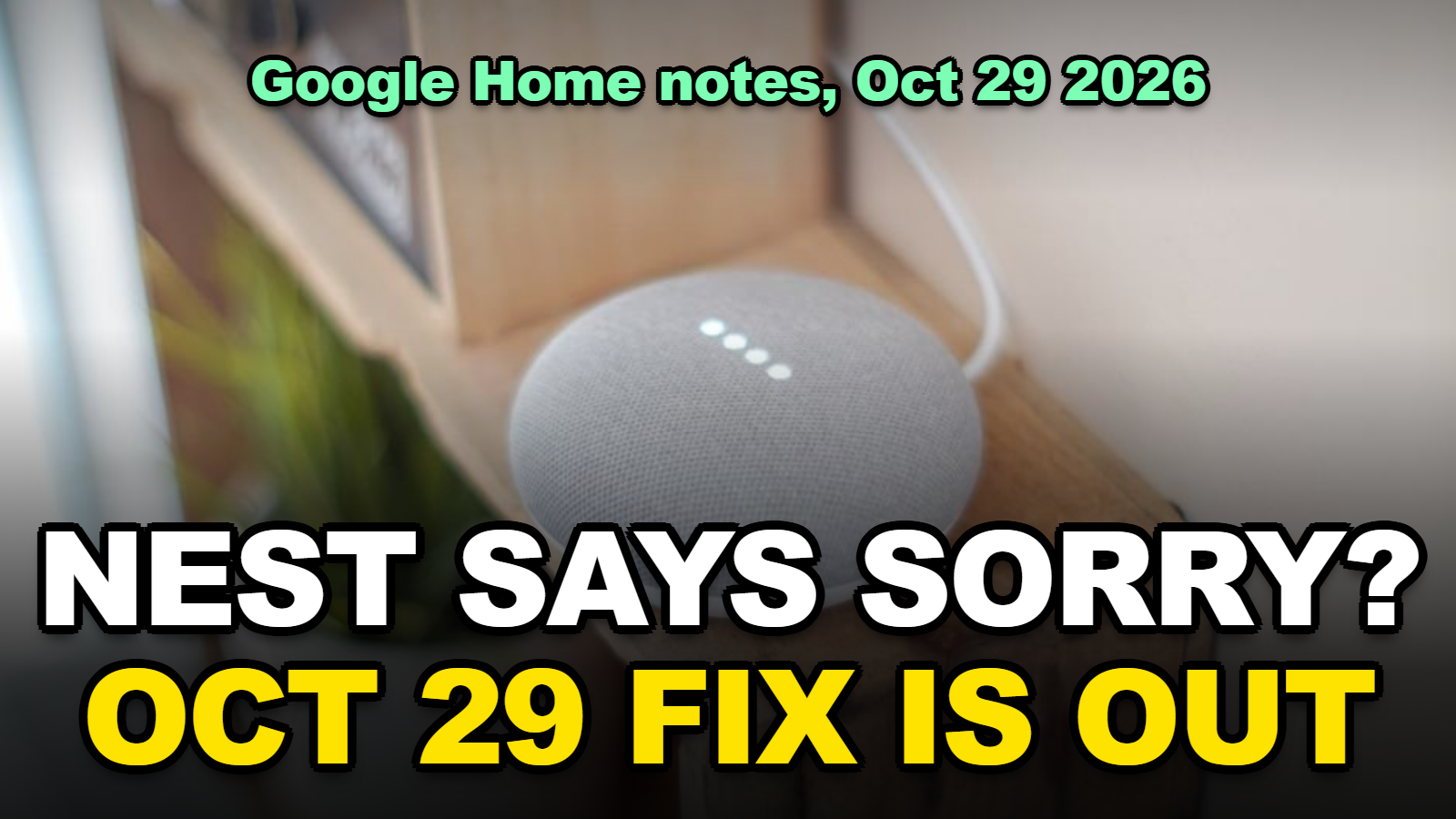
Google Home Says Sorry I Didn’t Understand? The Oct 29 Fix
Quick answer
Google’s Home app release notes dated October 29, 2026 list a Gemini for Home fix for speakers and displays that said “Sorry, I didn’t understand” when nobody had spoken to them. The same release fixes alarms and timers that were silently set to zero volume. The fix rolls out from Google’s side. You do not install anything, but you may still need to drag the alarm volume slider back up once. If the phantom phrase continues after a few days, the steps below cover the mic, the account, and a reboot.
A Nest Mini that announces “Sorry, I didn’t understand” to an empty kitchen is not listening to you. It is a software bug, and Google says it is fixed as of October 29, 2026. The second bug in the same release is sneakier: alarms and timers kept firing, but at zero volume, so people simply slept through them.
Both problems only affect speakers and displays that have been upgraded to Gemini for Home. If your device still runs Google Assistant, this release does not touch it.
Where to Start
- What did the October 29 Gemini for Home update fix?
- Why does my Google Home say “Sorry, I didn’t understand” on its own?
- How do you get the fix on your speaker?
- How do you restore an alarm that went silent?
- What to Do if the Phantom Phrase Keeps Coming Back
- Which October fix do you actually have?
- Tips
- Warnings
- FAQ
What did the October 29 Gemini for Home update fix?
According to Google’s “What’s new in Google Home” release notes dated October 29, 2026, the Gemini for Home update fixed six things, and two of them are the complaints that filled the Nest community forums through October (support.google.com).
| Symptom before the fix | What Google says changed | Who it affects |
|---|---|---|
| Speaker or display says “Sorry, I didn’t understand” with nobody talking | Fixed; the phrase should only follow a real request | Gemini for Home speakers and displays |
| Alarm or timer rings at zero volume | Fixed; alarm and timer volume now follows the device volume | Gemini for Home speakers and displays |
| “Set a 10-minute timer” lands on the media sleep timer, or the reverse | Fixed; Google calls it a rare mix-up between sleep timers, normal timers and alarms | Gemini for Home |
| “Turn down the bedroom” changes the volume in the room you are standing in | Fixed; happened when the other device could not be found | Gemini for Home |
| “Move the music to the living room” is misunderstood | Improved understanding of cross-room transfer requests | Gemini for Home |
| YouTube TV voice command on a display starts the wrong thing or nothing | Fixed; commands should reliably start the requested content | Nest Hub and Nest Hub Max |
The same day’s Home app build added Matter garage door, gate, window and blind icons on Android, plus live power readings for Matter plugs and energy monitors. Those are app features, not bug fixes, so they are listed separately on the page.
One honest caveat. When I checked the release notes page, Google states at the top that the notes are generated with Gemini and may need corrections. The October 29 entries match what 9to5Google reported the same day, so the list above is corroborated, but treat exact wording as Google’s summary rather than a changelog.
Why does my Google Home say “Sorry, I didn’t understand” on its own?
A Gemini for Home speaker that says “Sorry, I didn’t understand” with nobody in the room is responding to a false wake event, and Google’s October 29, 2026 release notes treat that as a bug on their side rather than a microphone or Wi-Fi problem in your home.
Here is where people get tripped up. The phrase sounds like the speaker misheard you, so the natural reaction is to repeat yourself louder, move the speaker, or check the mic switch. None of that helps, because the device was not reacting to a sound you made. The Gemini pipeline opened a request, got nothing usable, and replied as if you had mumbled.
Reading through the “A new chapter for Google Home” thread on the Nest community, I noticed that the reports cluster on Gemini for Home early-access homes, and that people who rebooted, factory reset, or unlinked their account all came back with the same complaint. That pattern fits a server-side bug, and it is consistent with Google shipping the fix as a Gemini update rather than a device firmware update.
This part matters for the next section: because the fix is on Google’s side, there is no download to force.
How do you get the fix on your speaker?
The October 29, 2026 Gemini for Home fix reaches a speaker automatically once Google’s rollout gets to your account, and 9to5Google reported on launch day that it could take time to reach everyone (9to5google.com). What you can do is make sure nothing on your end is holding it back.
Method 1: Confirm the device is actually on Gemini for Home
Step 1. Open the Google Home app, tap your profile picture, then Home settings, then Early Access. If you are not enrolled, the device is still on Google Assistant and this release does not apply to it. Google’s own page on the early-access program explains the enrolment flow (support.google.com).
Step 2. Ask the speaker “Hey Google, are you Gemini?” A Gemini for Home device identifies itself. An Assistant device gives a generic reply.
Step 3. Note the switch is one-way. Google’s Gemini for Home overview says that once a home is upgraded there is no path back to Assistant, so do not enrol just to chase this fix if you were happy on Assistant.
Method 2: Update the Home app and let the device idle
Step 1. Update the Google Home app from the Play Store or App Store. The Matter and energy changes from October 29 ship in the app build, and an old app can hide new device settings.
Step 2. Leave the speaker powered on and connected overnight. Google pushes Gemini-side changes without a visible progress bar, and the speaker needs to be online to receive them.
Step 3. Test with a deliberate request the next morning, for example “set a timer for one minute”, and listen for whether the phantom phrase appears during the quiet hours after that.
How do you restore an alarm that went silent?
An alarm that was zeroed by the bug does not always bounce back to normal on its own, so on a Gemini for Home speaker you should open the Google Home app, pick the device, and drag the alarm and timer volume slider up, because Google’s help page states that the speaker’s touch controls only change media and assistant volume, not alarm volume (support.google.com).
Method 1: Fix it from the Google Home app (speakers and displays)
Step 1. Open the Google Home app on a phone signed into the same Google account and connected to the same Wi-Fi network as the speaker.
Step 2. Tap the device tile, then the settings gear, then Audio.
Step 3. Find the alarm and timer volume slider and move it to where you want it. If it sits at the far left, that is the bug’s footprint.
Step 4. Say “Hey Google, set a timer for 30 seconds” and wait for it. If you hear it, you are done.
Method 2: Fix it on a Nest Hub display
Step 1. Swipe up from the bottom of the display to open Quick settings.
Step 2. Tap the volume icon. If the alarm slider does not appear, tap Expand.
Step 3. Raise the alarm and timer volume, then test with a short timer.
Most people skip the test and find out at 6 a.m. that the slider did not stick.
What to Do if the Phantom Phrase Keeps Coming Back
Give the rollout a few days first. If a Gemini for Home speaker is still saying “Sorry, I didn’t understand” unprompted well into November 2026, the cause is probably no longer the bug Google fixed, and these checks separate the usual culprits.
Method 1: Rule out a real wake trigger
Step 1. Check what the speaker heard. In the Home app, open Activity (or myactivity.google.com, filtered to Assistant and Gemini) and look at the timestamps that match the phantom replies. A blank or garbled entry confirms a false trigger; a TV line or a name that sounds like “Google” points at the environment.
Step 2. Move the speaker a metre or two away from a TV or a second speaker. Audio from another device can carry a wake sound.
Step 3. Lower the hotword sensitivity in the device settings if your model exposes it, then watch for a day.
Method 2: Reboot and re-sync
Step 1. Unplug the speaker for 60 seconds and plug it back in. A reboot forces it to pull the current Gemini configuration.
Step 2. In the Home app, open the device settings and confirm it is still assigned to the right home and room. Devices that lose their room assignment were part of a separate October 14 Home app bug that listed everything under “Linked to you”.
Step 3. Send feedback through the Home app with the time of the last phantom reply. Google reads those logs when it decides which Gemini fix ships next.
Which October fix do you actually have?
Two Gemini for Home updates shipped in October 2026, on October 14 and October 29, and they fix different things, so when I compared the two lists on Google’s release notes page the easiest tell was whether “stop” ends your music.
| Released | Fix | Quick test |
|---|---|---|
| October 14, 2026 | “Stop” now stops media, timers or alarms instead of ending the conversation | Play music, say “stop”; music should halt |
| October 14, 2026 | Philips Hue bridges move to local Matter control in the background; faster local Matter responses | Hue lights respond with Wi-Fi internet unplugged |
| October 29, 2026 | No more unprompted “Sorry, I didn’t understand” | A quiet evening with no phantom reply |
| October 29, 2026 | Alarm and timer volume no longer set to zero | Set a one-minute timer and hear it |
| October 29, 2026 | Cross-room volume and music transfer requests understood | “Move the music to the kitchen” works |
| October 29, 2026 | YouTube TV voice commands on displays start the right content | “Play CNN on YouTube TV” on a Nest Hub |
If the October 14 “stop” fix works but the October 29 items do not, you are simply earlier in the rollout queue. If neither works, go back to the enrolment check in the section above.
You’ll probably notice that none of this helps a first-generation Google Home. Google’s Gemini for Home overview lists older speakers as getting most features but not Gemini Live, and community specialists have said the original 2016 speaker is not supported for the Gemini upgrade at all. On that device, “Sorry, I didn’t understand” is the old Assistant behaviour and these notes do not apply.
Tips
- Test alarm volume with a 30-second timer rather than tomorrow’s alarm. It costs nothing and catches a slider that did not save.
- Keep one alarm on your phone for the first week after the fix. Google’s notes call the timer mix-up “rare”, which means it still happened.
- If you also had the smart bulb colour problem from early October, that was a separate Home app bug; the fix is covered in Smart Bulbs Won’t Change Color in Google Home?.
- Check the release notes page every couple of weeks. Google has shipped two Gemini for Home updates a month since August, and each one lists what it broke and fixed.
Warnings
- Do not factory reset the speaker to chase this bug. It wipes room assignments and routines and does nothing for a server-side fix.
- Do not enrol in Gemini for Home early access only to get this patch. The upgrade is one-way, and an Assistant device never had this bug.
- Do not rely on the speaker’s touch strip for alarm volume. Google documents that it only changes media and assistant volume.
- Google’s own page says these release notes are generated with Gemini and may contain errors. If a listed fix does not match what you see, trust the device.
FAQ
Does the October 29 fix apply to Google Assistant speakers?
No. The “Sorry, I didn’t understand” and zero-volume alarm fixes are listed under Gemini for Home, so a speaker still running Google Assistant did not have these bugs and does not receive this update. Assistant devices get their own, less frequent, changes.
Will my alarm volume reset itself after the update?
Google says alarm and timer volume now matches the device volume, but an alarm that was already zeroed may stay at zero until you move the slider in the Google Home app. Raise it once, then test with a short timer.
Can I stop a Nest speaker from saying “Sorry, I didn’t understand” entirely?
Not as a setting. The phrase is Gemini’s normal reply when a request cannot be parsed. The fix removes the cases where it fired without a request. A real false trigger from a TV or a similar-sounding word can still produce it.
Sources
- Google: What’s new in Google Home (release notes, October 14 and October 29, 2026 entries)
- Google: Change alarm and timer volume on your Google speaker or display
- Google: Learn about Gemini for Home voice assistant
- 9to5Google: Google Home update reels in Gemini’s “I didn’t understand” error (October 29, 2026)
🔗 Related guides
📌 Hub guide: For every fix, buying decision, and work-from-anywhere setup in one place — see the Tech & Digital Hub.
Written by Alex Kim, editor. Fact-checked against Google’s published release notes and help pages as of October 31, 2026. Rollout timing is set by Google and can differ by account and region.