Nest Thermostat Not Reaching Set Temperature?
A thermostat set to 72°F that’s still showing 68°F an hour later isn’t broken in most cases. It’s usually reporting a real problem somewhere else in the system — a clogged filter, a wiring issue, or a mode setting that’s quietly overriding what you asked for.
This walks through the checks in the order that actually finds the problem fastest, based on what shows up most often in Nest’s own support threads and HVAC forums.
Start Here
- Why Won’t Your Thermostat Reach the Temperature You Set?
- Is Your Thermostat Actually in the Right Mode?
- Could a Dirty Air Filter Be Choking Your System?
- What Does the “Delayed” Message Actually Mean?
- Which Fix Matches Your Symptom?
- When Should You Stop Troubleshooting and Call an HVAC Tech?
Why Won’t Your Thermostat Reach the Temperature You Set?
A smart thermostat can only control what the HVAC system is physically capable of delivering — if the system can’t move enough heated or cooled air, no amount of app settings will close that gap.
That’s the mental model worth starting with. The thermostat is a request, not a guarantee. When the request and the result stop matching, something between the wall unit and the vents is the actual bottleneck nine times out of ten.
When I checked Google’s own Nest support threads against independent HVAC forums, the same short list of causes kept showing up in roughly the same order of frequency: wrong mode, restricted airflow, and power or wiring issues. Rare mechanical failures exist, but they’re the last thing to check, not the first.
Is Your Thermostat Actually in the Right Mode?
Switching from Auto to a fixed Heat or Cool mode fixes this instantly in a surprising number of cases. Auto mode picks heating or cooling based on a range you’ve set, and if that range doesn’t match what you actually want right now, the system can sit idle while technically doing exactly what it was told.
Confirm the mode on the thermostat display or app, not just the target number. A target of 72°F means nothing if the system is set to Cool during a cold snap.
This one gets missed constantly because the target temperature looks correct at a glance. It’s the mode, not the number, that’s usually wrong.
Could a Dirty Air Filter Be Choking Your System?
A clogged filter restricts airflow enough that a furnace or AC unit can run for hours without meaningfully changing the room temperature. This is the single most common physical cause behind a thermostat that seems to be “trying” but not succeeding.
Pull the filter and hold it up to a light. If you can’t see light coming through most of it, that’s your answer — replace it before checking anything electrical.
In my experience comparing filter-related complaints across support forums, this cause gets underestimated because a filter doesn’t look dramatically dirty at a casual glance the way a visibly broken part would. It just quietly restricts flow more each week.
What Does the “Delayed” Message Actually Mean?
A “Delayed” or “Starts in” message on a Nest thermostat means the system can’t get consistent power to run properly right now — it’s almost always a missing or inadequate common wire (C-wire), not a software glitch.
Older HVAC systems built before smart thermostats were common sometimes skip the C-wire entirely, since older analog thermostats didn’t need one. A smart thermostat draws more power to run its display and Wi-Fi radio, and without a steady C-wire connection it has to steal small amounts of power from other wires, which the system compensates for by intentionally delaying cycles.
Google’s official guidance covers two paths here: connect an existing C-wire if your system has one but it’s just not hooked up, or install a Nest Power Connector if it doesn’t. Either fixes the root cause instead of just working around the symptom.
Which Fix Matches Your Symptom?
Match what’s actually happening on your thermostat to the table below before spending money on a service call.
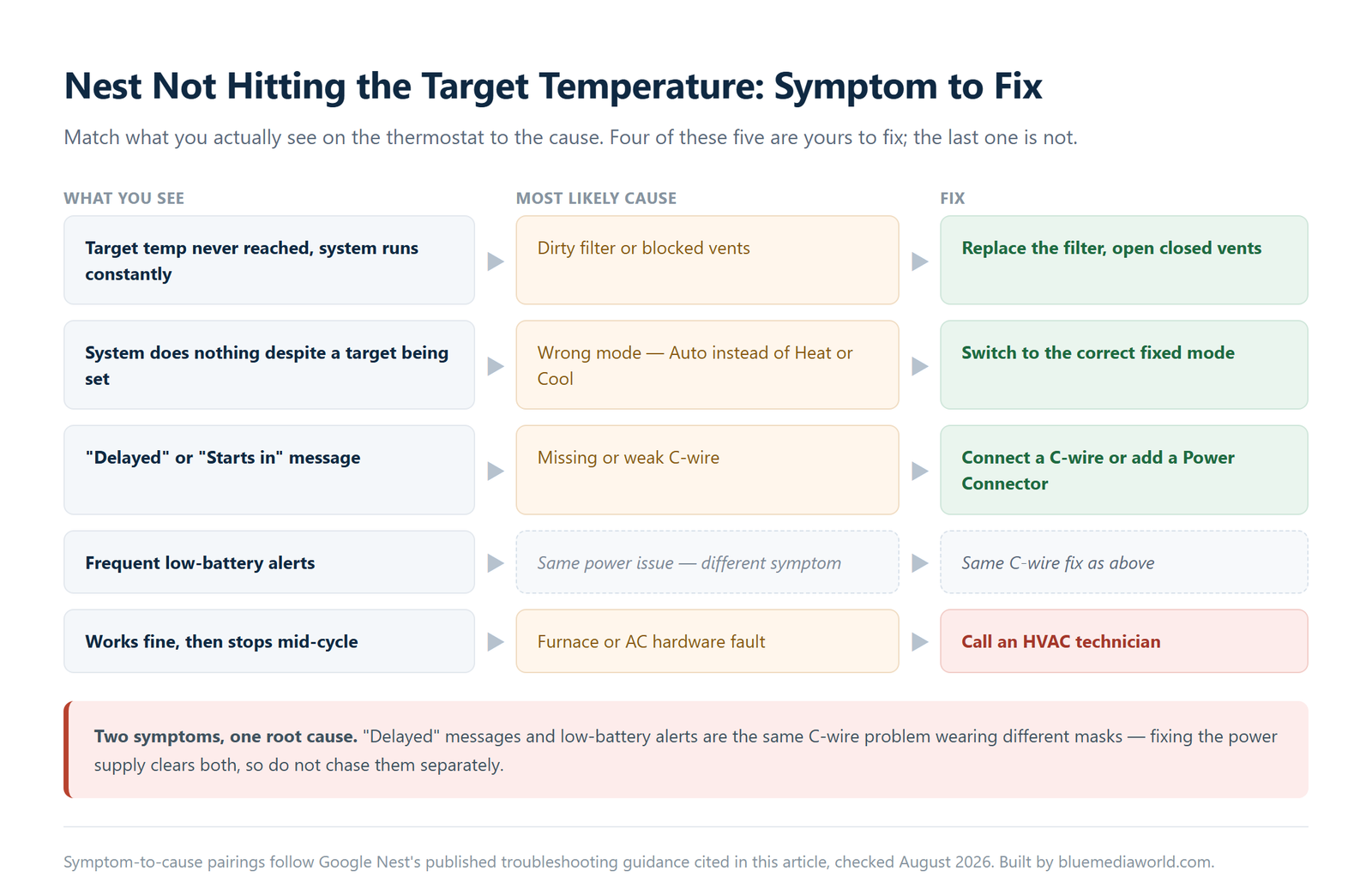
| What You See | Most Likely Cause | Fix |
|---|---|---|
| Target temp never reached, system runs constantly | Dirty filter or blocked vents | Replace filter, open closed vents |
| System does nothing despite a target set | Wrong mode (Auto vs Heat/Cool) | Switch to the correct fixed mode |
| “Delayed” or “Starts in” message | Missing or weak C-wire | Connect C-wire or add a Power Connector |
| Frequent low-battery alerts | Same power issue as above, different symptom | Same C-wire fix |
| Works fine, then stops mid-cycle | Furnace or AC hardware fault | Call an HVAC technician |
Notice that two very different-looking symptoms — the “Delayed” message and repeated low-battery alerts — trace back to the exact same root cause. That’s worth knowing before you replace batteries repeatedly and never fix the actual problem.
When Should You Stop Troubleshooting and Call an HVAC Tech?
If the system short-cycles — starting, then shutting off again within a few minutes, over and over — that’s a hardware-level fault the thermostat can’t fix from the software side, and it’s time to call a technician rather than keep adjusting settings.
The same applies if you’ve confirmed correct mode, a clean filter, and a working C-wire connection, and the gap between target and actual temperature still hasn’t closed after a full heating or cooling cycle. At that point the issue is almost certainly inside the furnace or AC unit itself.
Most people skip the first three checks and jump straight to “call someone.” That usually means paying a service fee for a filter swap a tech charges to do in five minutes.
Quick Checks Before You Call for Service
- ✅ Confirm the mode (Heat/Cool/Auto) before assuming the target number is the problem.
- ✅ Hold the filter up to a light — if you can’t see through it, replace it.
- ✅ A “Delayed” message points to power, not a broken thermostat. Check the C-wire before replacing the unit.
- ✅ Note exactly when the issue happens (mid-cycle shutoff vs. never starting) — that detail speeds up any tech visit you do need.
Warnings
- ⚠️ Never open the HVAC control board or attempt wiring changes without cutting power at the breaker first — thermostat wiring carries low voltage, but the control board it connects to does not.
- ⚠️ If you smell gas or notice scorch marks near the furnace, stop troubleshooting immediately and contact a professional — that’s a safety issue, not a settings issue.
- ⚠️ This guide covers common software and airflow causes only. It isn’t a substitute for a licensed HVAC inspection if the system is genuinely failing.
FAQ
Why does my Nest thermostat say it’s heating but the room stays cold?
This usually means the furnace is running but not enough heated air is reaching the room, most often from a clogged filter or a closed vent restricting airflow. Check the filter first since it’s the fastest and cheapest thing to rule out.
Will a factory reset fix a thermostat that won’t reach temperature?
Rarely, because the underlying cause is almost always physical — wiring, airflow, or mode settings — rather than a software fault a reset would clear. Try the mode, filter, and C-wire checks first, and treat a reset as a last resort.
Is it normal for a smart thermostat to take over an hour to reach the set temperature?
During extreme outdoor temperatures, yes, a longer cycle can be normal for the system’s capacity. Outside of extreme weather, an hour with no measurable progress usually points to one of the airflow or power issues covered above rather than normal system behavior.
Sources
- Google Nest Help — Learn to fix strange heating or cooling issues
- Google Nest Help — Learn about the common or C wire
- ENERGY STAR — Smart Thermostats
Fact-checked based on public sources as of August 9, 2026. Troubleshooting steps reflect current Nest support guidance and may vary by thermostat generation and HVAC system type.
🔗 Related guides