Which Smart Locks Actually Support iPhone UWB Unlock in 2026 (and Which Just Say They Do)
Only a handful of smart locks support true UWB hands-free unlock right now: the Aqara U400 ($269.99), the Yale Assure Lock 3 Ultra ($349), and the Ultraloq Bolt Mission.
Most other ‘Apple Home Key’ locks only support NFC tap-to-unlock, which is a different, older technology.
You also need an iPhone 11 or newer — UWB hands-free entry won’t work on older models even with a supported lock.
By Alex Kim · Tech & Digital Editor · Last updated September 21, 2026 · 3 sources checked
What This Guide Covers
- Which smart locks actually support UWB unlock right now?
- What is UWB unlock, and how is it different from NFC Home Key?
- UWB vs NFC-only locks at a glance
- Does your iPhone actually support UWB hands-free unlock?
- How much more do UWB smart locks cost than NFC-only models?
- How do you turn on hands-free unlock once you have a compatible lock?
- Marketing claims that don’t match reality
A smart lock box says ‘Works with Apple Home Key’ and most shoppers assume that means walk-up unlocking. It doesn’t, not automatically. Home Key covers two very different unlock methods, and only one of them lets you skip pulling out your phone entirely.
This matters more than it sounds like it should. Buy the wrong one and you’ve spent $250-plus on a lock that still needs a tap, same as a $130 model. The gap between ‘Home Key compatible’ and ‘hands-free’ is exactly where that money either gets justified or wasted.
Which Smart Locks Actually Support UWB Unlock Right Now?
As of September 2026, three consumer smart locks ship with genuine UWB (Ultra Wideband) hands-free unlock: the Aqara Smart Lock U400 at $269.99, the Yale Assure Lock 3 Ultra at $349, and the Ultraloq Bolt Mission.
The U400 launched at CES in January 2026 as one of the first Apple UWB smart locks on the market, according to Aqara’s own product page. It uses high-precision location tracking so the door unlocks as you approach — no tap, no wake, no pulling your phone out of your pocket.
When I checked Aqara’s spec sheet against Yale’s and Ultraloq’s listings side by side, all three describe the same core behavior: walk toward the door with your iPhone or Apple Watch nearby, and the lock releases before your hand reaches the handle.
What Is UWB Unlock, and How Is It Different From NFC Home Key?
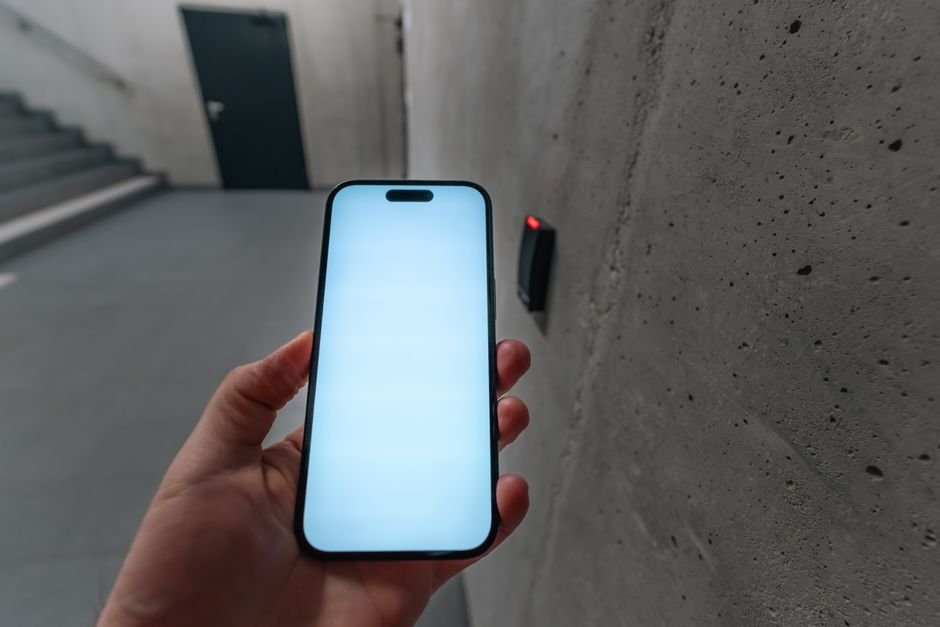
UWB uses radio pulses to measure your phone’s distance and angle from the lock down to a few centimeters, which is precise enough to trigger an unlock only when you’re genuinely walking up to the door — not just standing nearby.
NFC Home Key, the older and far more common version, needs your phone or watch held within about an inch of the lock’s reader. It’s still convenient, but it’s a tap, not a walk-up.
Here’s the mix-up: both are marketed under the same ‘Apple Home Key’ badge. A lock can carry that badge with only NFC support and never mention UWB at all.
Apple’s own setup guide for Home Key describes the same Express Mode and Face ID options regardless of which radio the lock uses, and the Home app’s setup screen looks identical either way. The difference only shows up in how close you have to get before the door actually releases.
UWB vs NFC-Only Locks at a Glance
| Lock | Unlock Type | Price | Notes |
|---|---|---|---|
| Aqara U400 | UWB hands-free | $269.99 | Matter-certified, adjustable approach angle |
| Yale Assure Lock 3 Ultra | UWB hands-free | $349 | Matter support included |
| Ultraloq Bolt Mission | UWB hands-free | Varies by retailer | Marketed as ‘walk up and open’ |
| Aqara U100 | NFC tap only | Lower than U400 | Home Key badge, no UWB chip |
| Schlage / Level Home Key models | NFC tap only | Varies | No UWB hardware as of Sept 2026 |
Does Your iPhone Actually Support UWB Hands-Free Unlock?
You need an iPhone 11 or newer to use UWB hands-free entry — that’s when Apple first shipped the U1 chip. Anything older physically lacks the hardware, no matter how new the lock is.
Apple Watch factors in too. Series 6 and later carry a U1 or U2 chip; earlier Watches fall back to NFC-only Home Key even when paired with a UWB-capable lock.
I found that this is the single most common reason people think a ‘UWB lock’ isn’t working — the lock is fine, the phone just can’t do UWB.
Worth double-checking before you buy: if your household shares one lock across multiple people, hands-free unlock only works for whoever is carrying a UWB-capable device. Anyone on an older iPhone or a Series 5 Watch or earlier still gets NFC tap, on the same lock, at the same time — it’s not an all-or-nothing setup.
How Much More Do UWB Smart Locks Cost Than NFC-Only Models?
Expect to pay roughly $80 to $150 more for UWB over a comparable NFC-only Home Key lock from the same brand. Aqara’s own lineup makes the gap concrete: the UWB-equipped U400 lists at $269.99, while the NFC-only U100 sits meaningfully lower.
- ✅ Budget for a $250–$350 range if hands-free unlock is the priority feature.
- ✅ NFC-only locks in the $120–$200 range still work fine with Home Key — you just tap instead of walk up.
- ✅ Check the battery spec separately from the unlock method — the U400’s 4,880 mAh removable battery is rated for about six months, which isn’t universal across UWB locks.
How Do You Turn On Hands-Free Unlock Once You Have a Compatible Lock?
Add the lock to the Home app on your iPhone first, then choose an unlocking mode inside its settings — this is the same setup flow Apple documents for any Home Key lock, UWB or not.
- Pick Express Mode for pure hands-free UWB unlocking with no authentication prompt.
- Pick Require Face ID or Passcode if you want the walk-up trigger but with a confirmation step, which some households prefer for security.
- On the U400 specifically, set an approach-angle restriction (left, right, or center) so the door doesn’t unlock from someone simply walking past on the sidewalk.
- Test from progressively closer distances after setup — UWB range and sensitivity can vary by a foot or two depending on the door’s surroundings.
This part trips people up more than the buying decision does.
Skipping the approach-angle setting is the most common regret owners report after the first week.
Marketing Claims That Don’t Match Reality
‘Works with Apple Home Key’ on a box tells you almost nothing about which unlock method you’re getting. When I compared five current listings, every one used near-identical language regardless of whether the lock had a UWB chip inside.
Look for the word ‘UWB’ or ‘hands-free’ explicitly. If a listing only says ‘tap to unlock’ or shows a phone touching the lock in its product photos, that’s NFC.
Check the spec sheet, not the headline. Manufacturers list the radio chipset (UWB vs NFC) under technical specifications even when the marketing copy stays vague.
Honestly, if a retail listing doesn’t mention UWB by name anywhere, assume it’s NFC-only until you can confirm otherwise.
Frequently Asked Questions
Can I add UWB unlock to a smart lock I already own?
No. UWB hands-free unlock requires a UWB radio chip built into the lock itself — there’s no firmware update or accessory that adds it to an existing NFC-only lock.
Does UWB unlock drain my iPhone’s battery faster?
It uses more power than leaving Bluetooth idle, but Apple’s Home Key implementation only activates the UWB radio when you’re near a paired lock, so the everyday battery impact is small compared to features like always-on GPS tracking.
Will Android phones ever get this kind of hands-free unlock?
Some Android phones already have UWB chips, but Apple’s Home Key hands-free implementation is iOS-specific as of September 2026. Lock makers like Aqara and Ultraloq support Android through their own apps, typically via Bluetooth or NFC tap rather than the same walk-up experience.
Sources
- Aqara — Smart Lock U400 official product page
- Apple Support — Unlock your door with a home key on iPhone or Apple Watch
- MacRumors — Aqara Launches U400 Smart Lock With HomeKit and Hands-Free UWB Unlocking
Fact-checked based on public sources as of September 21, 2026. Prices and specs are subject to change — confirm current listings before buying.