Smart Thermostat Won’t Turn On the Heat on the First Cold Day? What to Check Before You Call a Pro (2026)
Short answer: Most “no heat” calls on the first cold day aren’t broken furnaces. The thermostat is still in Cool or Eco mode. Or it’s showing a built-in startup delay. Or it lost steady power over the summer. Check the mode and the screen message first. Then the breaker and the furnace door switch. A heat pump that won’t start may just be blocked by an outdoor-temperature lockout. Call a pro only if the system fails with your old thermostat too.
Every October the same thing happens. The first chilly night arrives, someone turns the thermostat up, and nothing comes out of the vents.
Then HVAC companies get booked solid for a week.
Google’s own Nest help pages say to test your heat on a cool day at the end of summer for exactly this reason. If you skipped that, this guide runs through what actually stops a smart thermostat from calling for heat, in the order that’s fastest to check. Nest, ecobee, and Honeywell all hit versions of the same problems.
What This Checklist Covers
- Is Your Thermostat Still Set to Cool, Eco, or Off?
- Why Does It Say “Heating Delayed” or “Starts In”?
- Why Did the Thermostat Lose Power Over the Summer?
- Why Won’t My Heat Pump Start on a Cold Morning?
- Symptom-to-Fix Table by Brand
- How Do You Know It’s the Furnace, Not the Thermostat?
- Tips
- Warnings
- FAQ
- Sources
Is Your Thermostat Still Set to Cool, Eco, or Off?
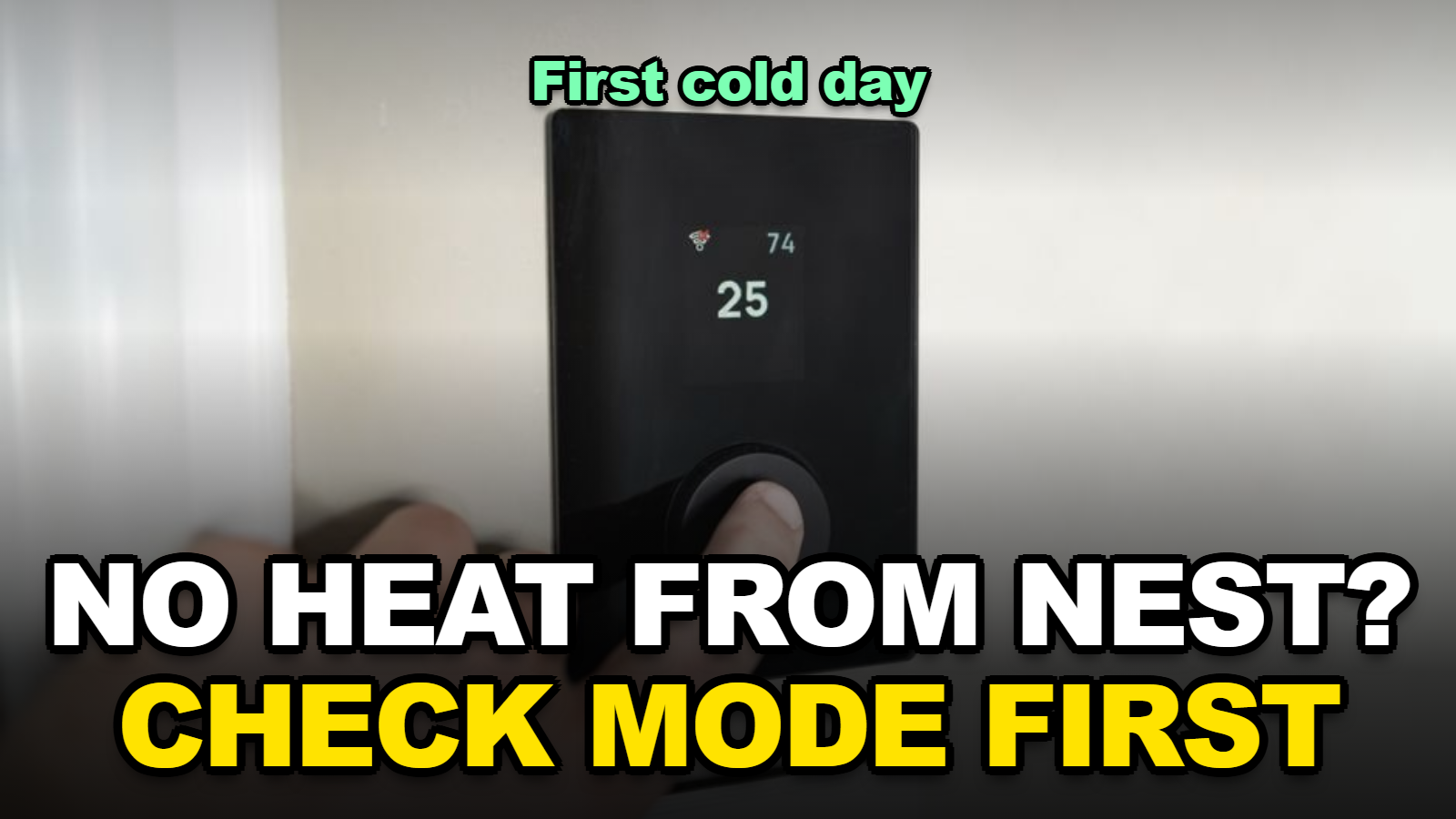
A smart thermostat left in Cool mode, Off, or an Eco/Away setback from the summer will not call for heat no matter how high you turn the dial, so the first fix on any brand is to switch the mode to Heat (or Heat-Cool) and confirm the target is above the room temperature.
It sounds too simple. It’s also the most common one.
On a Nest, the screen turns orange when the thermostat is actively calling for heat. If you raise the temperature and the screen doesn’t turn orange, the thermostat isn’t asking the furnace for anything yet. Google’s help page puts it plainly: when the screen changes color, the thermostat “is trying to turn your system on.”
Watch for these summer leftovers:
- Mode stuck on Cool. Common if you never use auto changeover.
- Eco or Away temperatures. An Eco heat setting of 55°F or so means the house can sit at 58°F and the thermostat thinks it’s fine.
- A schedule built for summer. Schedules on most smart thermostats are separate for heat and cool, and the heat schedule may be empty or months old.
- Geofencing that thinks you’re away. A phone with location turned off can keep the house in Away.
Google’s troubleshooting page says the thermostat’s energy history explains why the temperature changed. In the Google Home app, open your thermostat and tap Energy dashboard. That history will often show “Eco” or a schedule change as the reason it didn’t heat.
Why Does It Say “Heating Delayed” or “Starts In”?
A Nest thermostat message such as “Heating is delayed for 2:30 mins” means the thermostat is deliberately waiting before turning the system on, and Google’s Nest help lists this “Delayed” or “Starts in” message as normal behavior to check before assuming a fault.
Give it time. Google’s system-test guide says many systems have a built-in delay of about 5 minutes before you feel anything at the vents.
Radiators, baseboard heaters, and in-floor radiant heat are much slower. Google says you may have to wait 30 minutes or more for a noticeable change with those systems.
When I checked the Nest system-test instructions closely, I noticed that the thermostat may refuse to test a mode when the weather is too hot or too cold for it. That’s a protection feature. It also means a September heat test sometimes just won’t run on a warm afternoon. Try again on a cool morning.
Why Did the Thermostat Lose Power Over the Summer?
A smart thermostat without a C wire (common wire) can lose steady power when the heating side of the system sits unused, and Google says a missing C wire or Nest Power Connector is a common cause of systems that won’t turn on or cycle on and off.
Before you touch any wiring, check the two boring things:
- The breaker or furnace switch. Many furnaces have a light-switch-style power switch on or near the unit. Someone flips it off during summer and forgets.
- The furnace door. Most furnaces have a safety switch that cuts power when the front panel isn’t seated. A filter change in August with a loose door is enough.
If both are fine, look at the thermostat itself. A blank screen, a battery warning, or a Nest that reboots when the heat tries to start all point to power.
Google’s step-by-step for Nest is to turn off power at the breaker, pull the display off, and make sure every wire’s connector button is fully pressed down. The thermostat won’t detect a wire if the button pops up. If there’s no wire in the C connector, Google suggests checking whether a spare wire is already connected at the furnace’s C terminal, or adding the Nest Power Connector.
If you’re thinking about a C-wire workaround, our guide on installing a smart thermostat with no C wire walks through the options.
Why Won’t My Heat Pump Start on a Cold Morning?
A heat pump connected to a smart thermostat can refuse to run when the outdoor temperature drops below a compressor lockout setting, and on ecobee thermostats that setting is called Compressor Minimum Outdoor Temperature under Menu, Settings, Installation Settings, Thresholds.
This one confuses people because the thermostat looks normal. It’s calling for heat. The outdoor unit just doesn’t start, because the thermostat is waiting on auxiliary heat or has locked the compressor out.
Here’s what to look at:
- Compressor lockout too high. If someone set it at 35°F or 40°F, a 32°F morning shuts the heat pump out entirely.
- Aux heat limit too low. If backup heat is limited to very cold days, there may be a gap where neither source runs well.
- Heat pump configured as a furnace, or vice versa. This usually shows up as heating when you want cooling. Google has a separate help article for a heat pump that heats when it should cool.
Don’t drop the lockout below what the heat pump is rated for. Check the owner’s manual for its minimum operating temperature first, because running a compressor colder than it’s designed for can damage it.
Symptom-to-Fix Table by Brand
When I compared the Nest help pages with the ecobee and Honeywell troubleshooting steps that show up most in searches, I found that the first four checks are the same on every brand. Only the menu names change.
| What you see | Likely cause | Where to check | Time to fix |
|---|---|---|---|
| Screen normal, no heat, no orange/”Heat On” | Mode is Cool, Off, or Eco | Mode menu; Eco/Away temperatures | 1 minute |
| “Delayed” or “Starts in” message | Built-in protection delay | Wait about 5 minutes (30+ for radiant) | 5–30 minutes |
| Blank screen or low-battery warning | No power, no C wire, tripped breaker | Breaker, furnace switch, furnace door | 5–15 minutes |
| Calls for heat, outdoor unit silent | Heat pump lockout threshold | ecobee: Installation Settings, Thresholds | 5 minutes |
| Error code like N80, W4, E73 (Nest) | Wiring or power detected by the thermostat | Google’s Nest error-code guide | Varies |
| Heats briefly, then shuts off and repeats | Power instability or system fault | C wire; then old-thermostat test | 30+ minutes |
Table: compiled from Google Nest Help troubleshooting and system-test pages and ecobee threshold settings, October 2026. Times are rough estimates for a homeowner, not service quotes.
Four of the six rows are fixable without opening anything.
How Do You Know It’s the Furnace, Not the Thermostat?
Google’s Nest help recommends temporarily reinstalling your old thermostat: if the heating works with the old one, the smart thermostat has a wiring or power problem, and if it fails the same way, the furnace or boiler likely needs professional maintenance.
That test takes about 20 minutes if you kept a photo of the old wiring.
Another clue from Google’s page: if the screen turns orange for heat but the system still doesn’t start, the thermostat is doing its job. The problem is downstream, in the furnace, its igniter, a pressure switch, or a clogged filter.
Cost is the reason to rule out the thermostat first. ENERGY STAR estimates that heating and cooling make up almost half of the average American household’s annual energy bill, more than $900 a year. A tune-up visit is worth it if the system itself is struggling. Just don’t book one to switch a thermostat out of Cool mode.
Tips
- Run a heat test now, even if it’s still mild. Raise the target until the screen shows heat, then check the vents after five minutes.
- Replace the furnace filter before the first cold week. A clogged filter can make a system overheat and shut itself off.
- Photograph your thermostat’s wiring the next time the display is off. It makes every future fix faster.
- Check the Eco/Away heat temperature in the app and raise it to something you can actually live with overnight.
Warnings
- Always turn off power at the breaker before pulling a thermostat off the wall or opening the furnace. Furnaces carry line voltage.
- Don’t jump wires at the furnace control board to “test” heat unless you know exactly what each terminal does.
- If you smell gas, leave the house and call your gas utility. That’s not a thermostat problem.
- Don’t lower a heat pump’s compressor lockout below the manufacturer’s rated minimum temperature.
FAQ
Why does my thermostat say heating but the air is cold?
If the thermostat is calling for heat but the vents blow cold, the furnace may still be in its warm-up delay, or a heat pump may be in defrost. If cold air continues for more than 10 minutes, check the filter and furnace door, then call a technician.
Do smart thermostats need to be reset when the season changes?
No. A reset is rarely needed. Switching the mode to Heat, updating the heating schedule, and checking the Eco temperatures is usually enough.
Can a Wi-Fi outage stop my thermostat from heating?
Usually not. Nest, ecobee, and Honeywell smart thermostats keep running their local schedule and manual settings without Wi-Fi. You just lose app control and remote changes until the connection returns.
Sources
- Google Home and Nest Help — Learn to fix strange heating or cooling issues
- Google Home and Nest Help — Test your system with a Nest thermostat
- ENERGY STAR — Smart Thermostats
🔗 Related guides
Fact-checked against Google Home and Nest Help troubleshooting pages, ecobee threshold settings, and ENERGY STAR’s smart thermostat guidance as of October 3, 2026. This is general guidance, not a substitute for a licensed HVAC technician.