Klook: How to Browse Categories Before You Book
Klook sells very different things under one login, and the step that trips you up afterwards depends on which kind you picked.
This post contains affiliate links. If you buy through them we may earn a commission at no extra cost to you.
Short answer: Klook’s help center names eSIMs, Klook Passes, e-Gift Cards, Travel Insurances, Stay+ packages, event tickets, trains, buses, flights and hotels. Each has its own after-purchase step. Instant-confirmation activities email a confirmation within 5 minutes, per Klook, and others take 24 to 48 hours. This post has no prices and no ratings.
Here is a mistake that is easy to make. You browse by what looks fun, pay, and only then find out the thing needs activation on your phone or a date you cannot move.
What This Post Covers
- Which categories does Klook’s help center list?
- What happens after you book in each category?
- How fast does a Klook booking confirm?
- Which categories cannot use KlookCash?
- Which Klook category should you open first?
Which categories does Klook’s help center list?
Klook’s help center, read on November 16, 2026, groups its guidance under Your bookings, Payment and receipts, Booking changes and refunds, Promo codes and KlookCash, How to use Klook, During your activity, Trains, Hotels, Value Packs, Flights and Buses.
The same page mentions eSIMs, Klook Passes, e-Gift Cards, Travel Insurances, Stay+ packages and event tickets such as concerts, festivals, exhibitions, sports and marathons. Together that is a wide menu, and I did not see any of it as a single list on the page. It is spread across several help answers.
When I checked, Klook’s main site returned a block page to my automated request, so I could not read the homepage menu directly. The category list in this post comes from the help center, which did load. The app menu may be organized differently.
What happens after you book in each category?
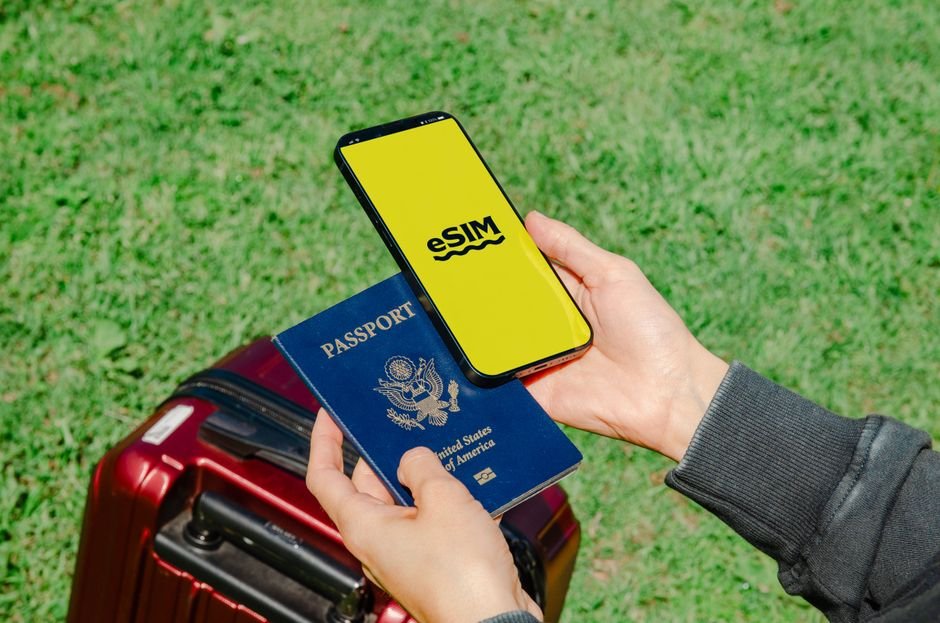
After a Klook booking, the next step depends on the product: activities use a voucher, eSIMs need in-app activation, and hotels need you to contact the property with your voucher details.
| Category | What Klook’s help pages say happens next | What to settle before paying |
|---|---|---|
| Activities and tickets | Voucher arrives by email. The activity page has a How To Redeem section. | Fixed date or open date? |
| eSIM | Open the app, go to Account > Bookings, tap Add eSIM to device. Data use does not start on activation. | Is your phone eSIM-compatible? |
| Hotels | Contact the property with your hotel voucher details once the booking is confirmed. | Does the listing say how to contact the hotel? |
| e-Gift Cards | Enter the unique voucher at checkout. Each card can be redeemed only once. | Who is the card for? |
The last column is my own checklist, not Klook’s wording. The middle column paraphrases Klook help pages read on November 16, 2026.
Notice the dates question for activities. Klook’s help pages say open-dated tickets can be redeemed any day within the validity period, while fixed-date tickets must be used on the date you chose when booking.
It sounds obvious. It stops being obvious when plans change.
Where do you find the voucher? Klook’s help says to open the app, go to Account > Bookings and select the booking, and that a mobile e-voucher can be saved in the app so it opens without internet. For a wider look at the first purchase, see Klook for First-Timers: How to Start Shopping Step by Step.
How fast does a Klook booking confirm?
A Klook activity with instant confirmation sends its booking confirmation email within 5 minutes, and an activity without it confirms within 24 to 48 hours, according to Klook’s help center.
That difference matters most when you book close to the date. I noticed that Klook tells you to check the Confirmation line under Terms and Conditions on the activity page, because the expected time is set per activity.
- Read the Confirmation line before you pay.
- If it says instant confirmation, look for the email within 5 minutes.
- If it does not, plan for 24 to 48 hours and do not book the same day you need it.
- If the time has passed, check your spam folder, then use Chat with us on the booking page.
Compare this with how a different marketplace handles the same step in Klook vs Other Marketplaces: How to Compare Before You Book.
Which categories cannot use KlookCash?
Klook says KlookCash cannot be used on Klook Passes, e-Gift Cards, Travel Insurances, Stay+ packages and selected events, and that you need at least 10 KlookCash in your account to use it at all.
Klook’s help center adds that this list is not exhaustive and that it may exclude other products. So the practical rule is simple: if you plan to use KlookCash, check the Discount section at checkout before you assume it applies.
The same page says KlookCash is applied by ticking its checkbox in the Discount section of the checkout page. Promo codes work differently: only one can be used per booking, per the Klook help pages.
I am not covering any code values here, since the help center does not list them and they change.
Which Klook category should you open first?
The best first category for a new Klook user is a single activity with instant confirmation, because it lets you practice the voucher steps with the shortest wait and the least at stake.
Leave eSIMs for the day before a trip, once you know your phone supports them. Leave hotels for when your dates are firm.
Honestly, the first booking teaches you more than any guide does.
Tips
- Save the voucher offline in the app before you leave Wi-Fi.
- Check the activity page for fixed date versus open date.
- Activate an eSIM on a stable connection and stay on the page until it finishes.
- Screenshot the Confirmation line so you know when to chase.
Warnings
- Category names in the app may differ from the help center groupings.
- KlookCash does not apply to every product. Check at checkout.
- Fixed-date tickets cannot be redeemed on another day.
- Do not rely on third-party pages for coupons. Check the total at checkout.
FAQ
Where do I find my Klook voucher?
Klook’s help center says to open the Klook app, go to Account > Bookings to find your voucher, and choose Use other methods to see the QR code. It also arrives in your booking confirmation email.
How long does Klook take to confirm a booking?
Klook says activities with instant confirmation send the confirmation email within 5 minutes, and those without it confirm within 24 to 48 hours. The expected time is on each activity page.
Can I use KlookCash on everything?
No. Klook says KlookCash cannot be used on products such as Klook Passes, e-Gift Cards, Travel Insurances, Stay+ packages and selected events, and you need at least 10 KlookCash to use it.
Sources
Next step: open one activity page, find its Confirmation line and date type, and only then pay.
Fact-checked against Klook’s help center as of November 16, 2026. Klook’s main site blocked automated requests, so product categories come from the help center. Affiliate links are marked.
🔗 Related guides